The best wireless mice balance connection options, comfort, and controls for the way you work or play. These picks range from lightweight gaming models to travel-friendly and ergonomic mice, so choose by your hand fit, device setup, and preferred features.
Quick Top Products
SteelSeries Aerox 3 Wireless

- Lightweight 68g design with a perforated shell.
- Supports 2.4GHz and Bluetooth 5.0 wireless connections.
- IP54-rated protection against splashes, dust, and dirt.
Best For: Players who want a lightweight gaming mouse with Bluetooth and 2.4GHz connections.

SteelSeries Rival 3 Wireless Gen 2
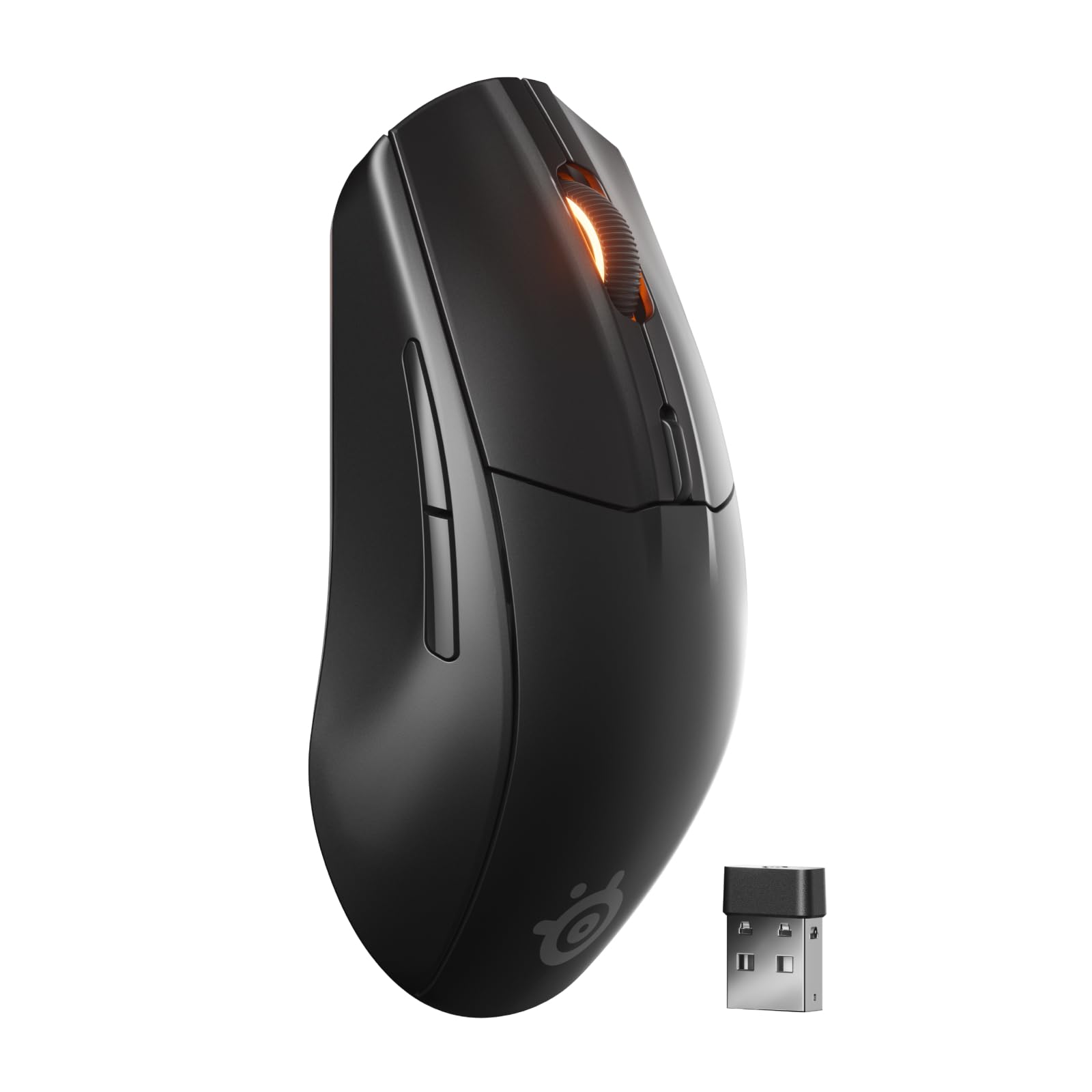
- Connect over gaming-grade 2.4GHz or Bluetooth.
- Up to 200 hours on 2.4GHz or 450 hours on Bluetooth with one AAA battery.
- TrueMove Air optical tracking is rated at 18K DPI.
Best For: Players who want a gaming mouse that can also connect to other devices over Bluetooth.
SteelSeries Aerox 5 Wireless
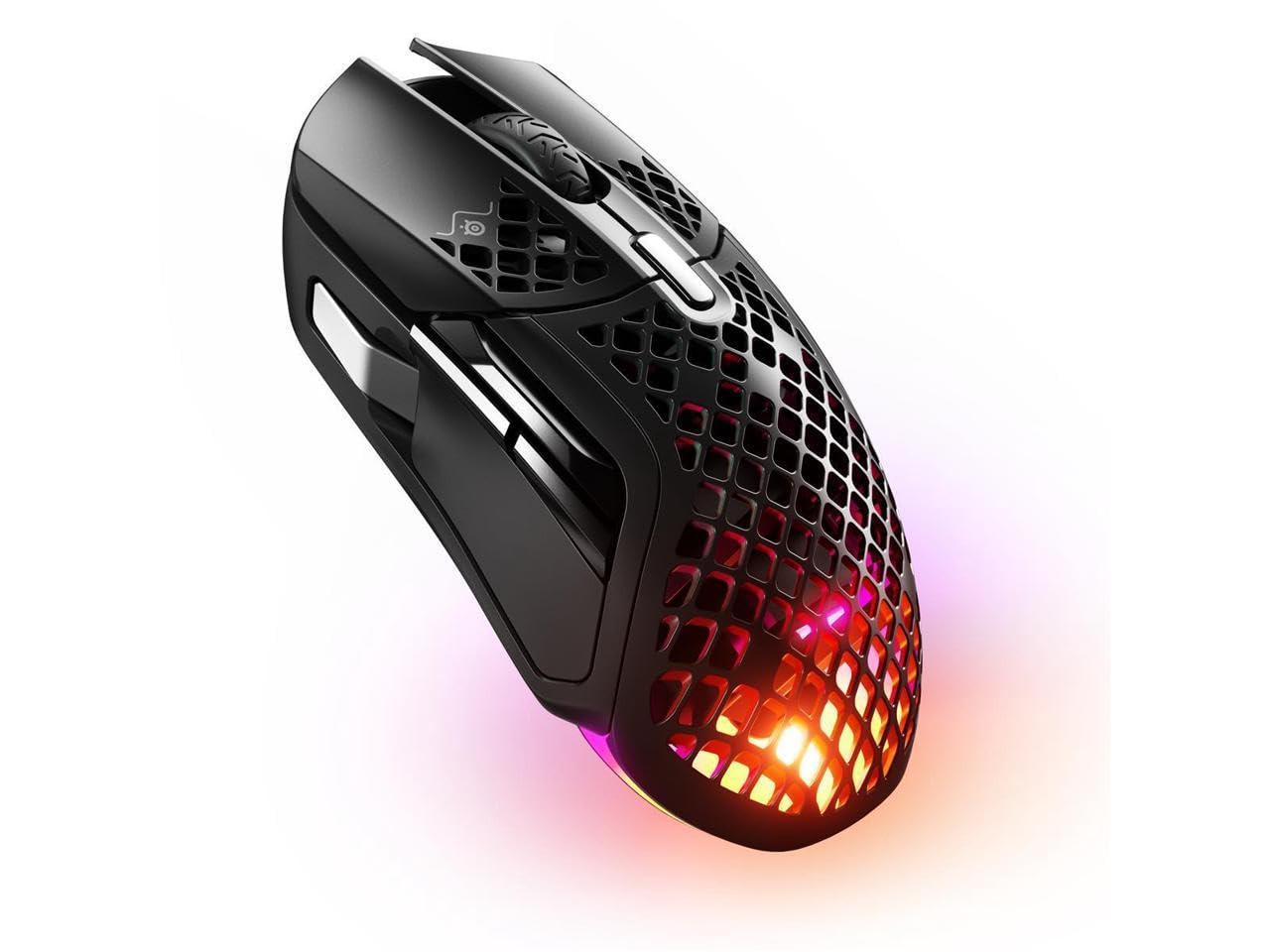
- Nine programmable buttons include a side panel and flick switch.
- Perforated design weighs 74g.
- Supports 2.4GHz and Bluetooth 5.0 wireless connections.
Best For: Gamers who want a lightweight mouse with programmable controls and two wireless modes.
SteelSeries Aerox 9 Wireless
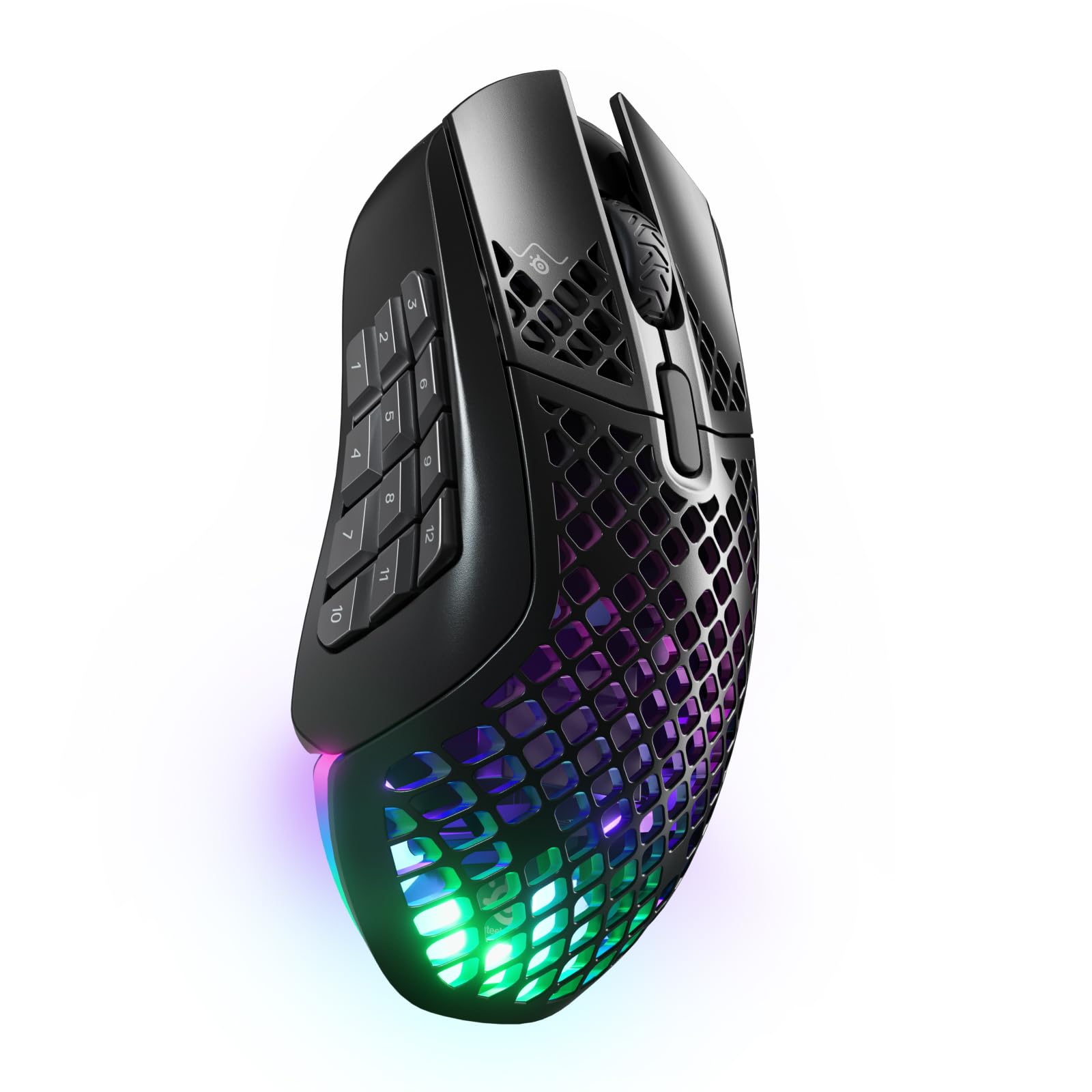
- Eighteen programmable buttons include a 12-button side panel.
- Connects over 2.4GHz or Bluetooth 5.0.
- The 89g shell has IP54-rated protection.
Best For: Players who need a large set of programmable commands and dual wireless connectivity.
SteelSeries Prime Wireless
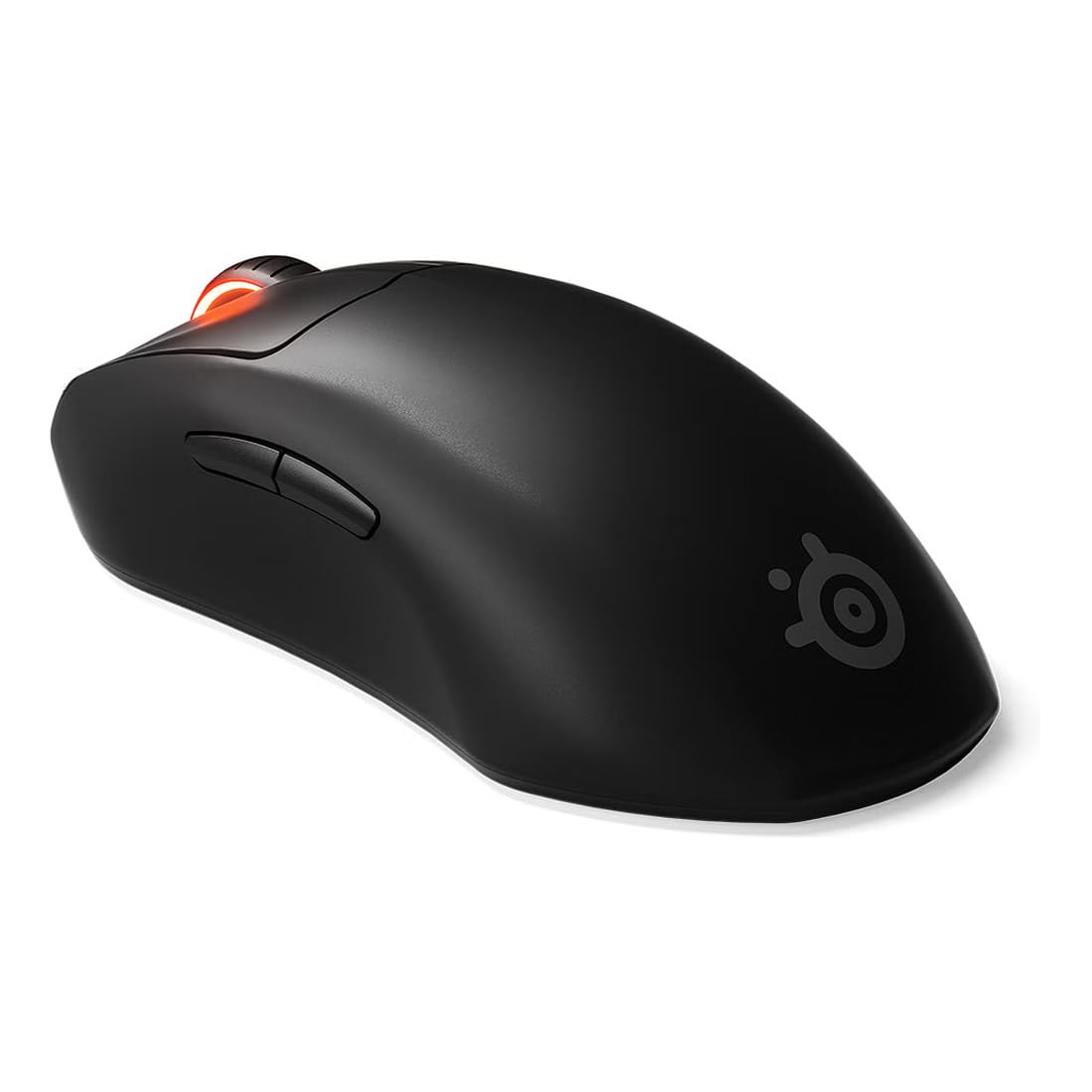
- Right-handed shape supports finger, palm, and claw grips.
- TrueMove Air tracking is rated at 18K CPI, 400 IPS, and 40G.
- Wireless battery life is rated up to 100 hours.
Best For: Right-handed FPS players who prefer a shaped mouse and long rated battery life.
SteelSeries Prime Mini Wireless
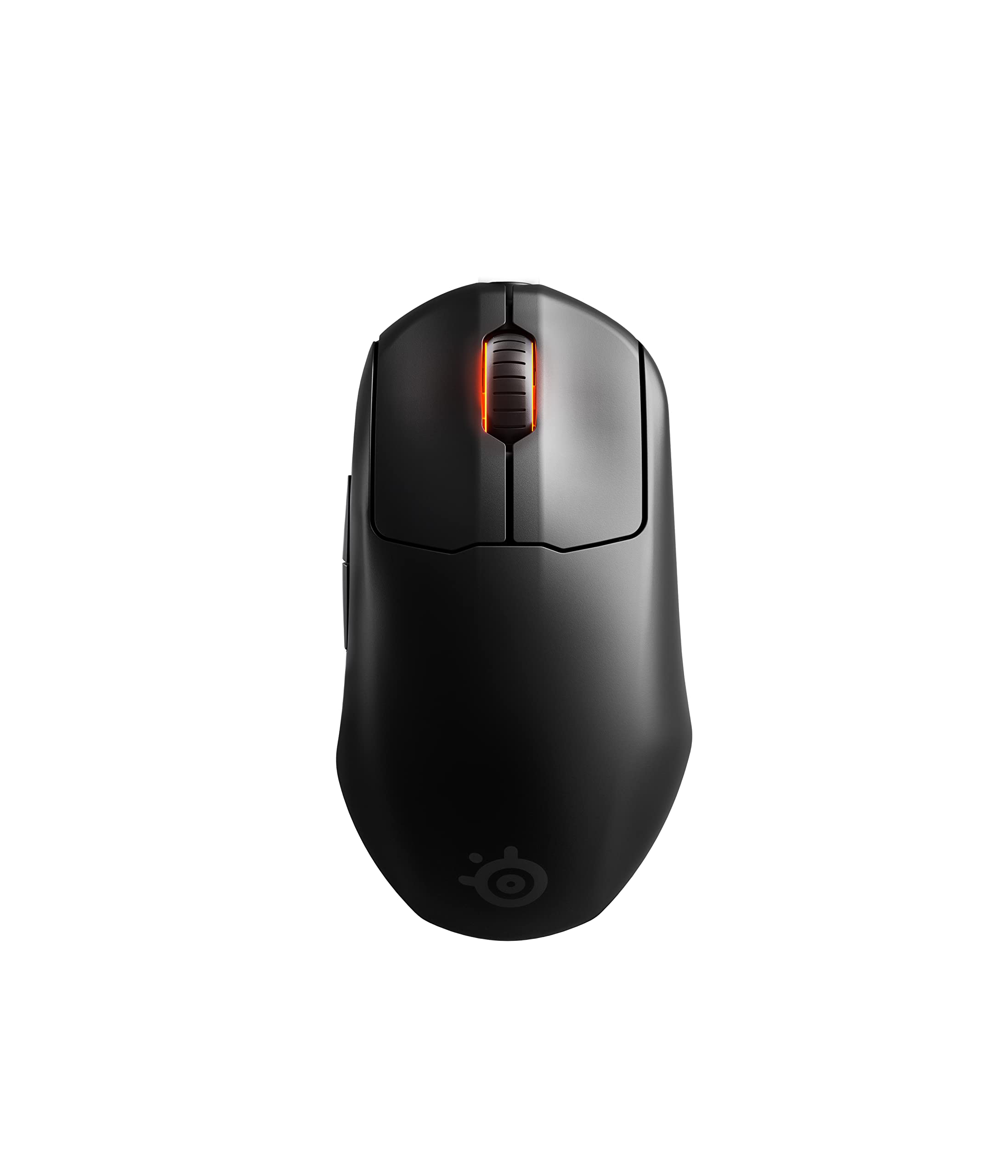
- The mini design weighs 74g.
- TrueMove Air is rated at 18K CPI, 400 IPS, and 40G.
- The title specifies lag-free 2.4GHz and a 100-hour battery.
Best For: FPS players looking for a smaller 74g form with programmable buttons and 2.4GHz wireless.
SteelSeries Rival 650 Quantum Wireless
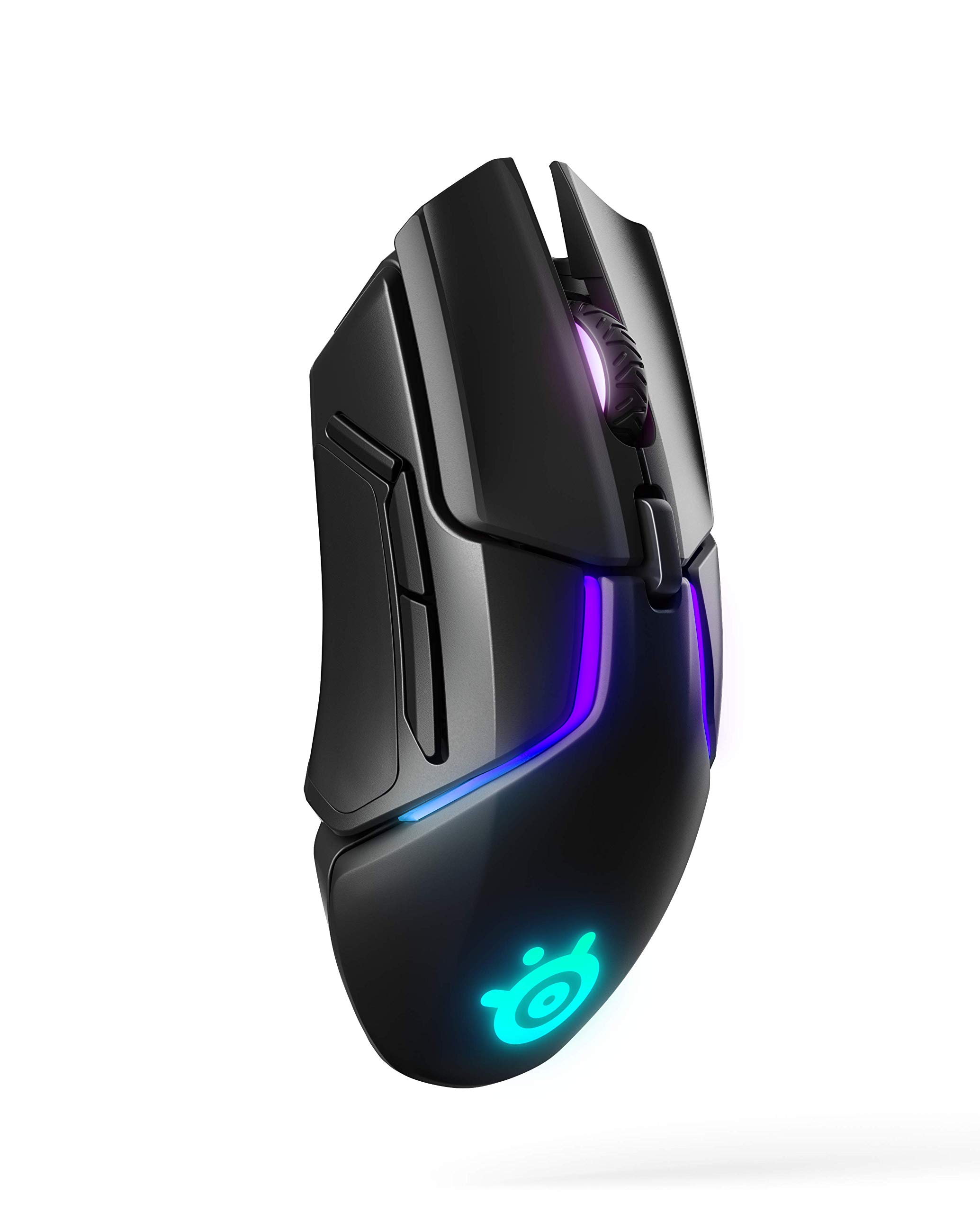
- Adjust the center of gravity across 256 weight configurations.
- A 15-minute rapid charge is rated for 10 hours of use.
- The dual-sensor system includes lift-off distance adjustment.
Best For: Gamers who want adjustable weight balance and rapid charging.
Contour Unimouse Wireless
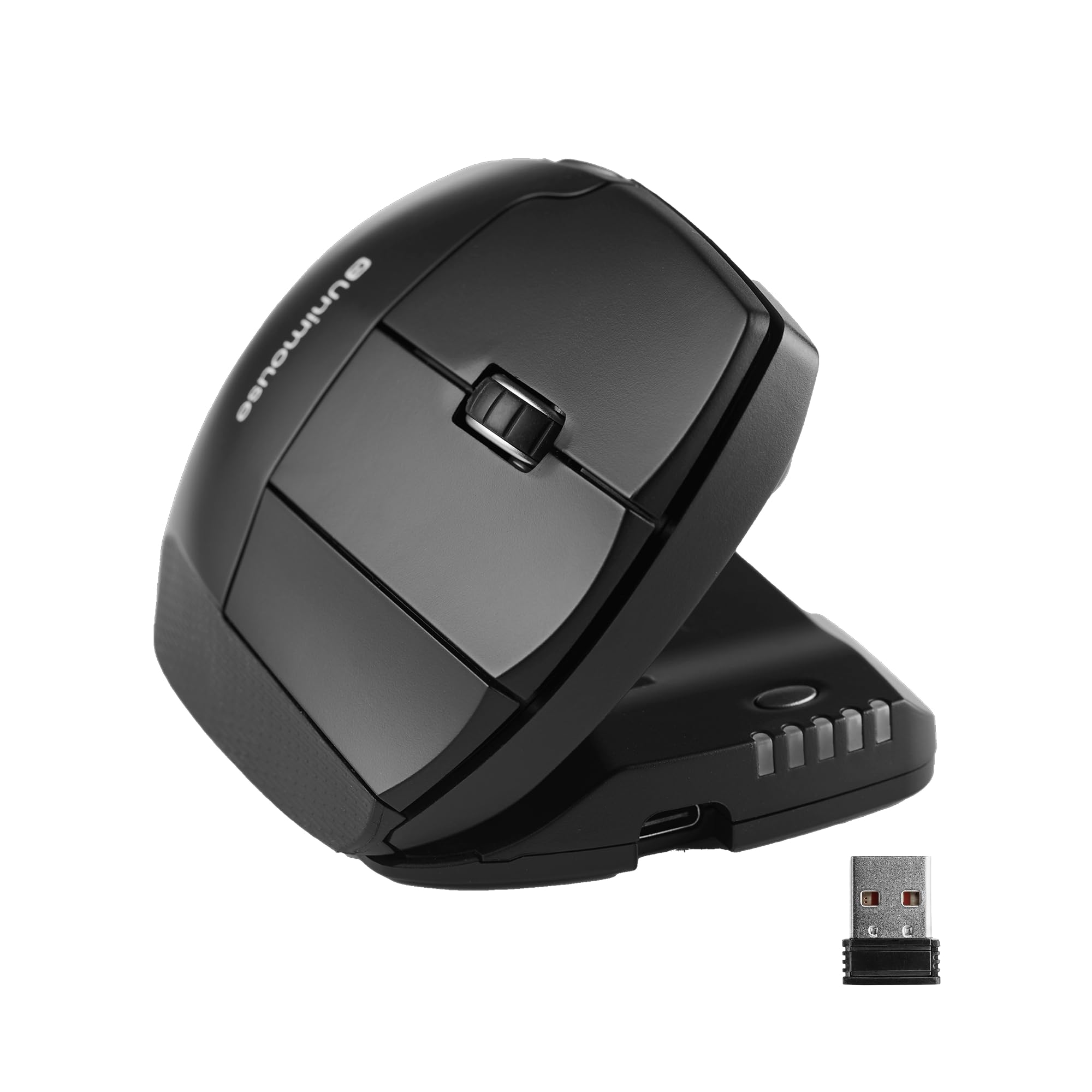
- Set the tilt angle from 35° to 70°.
- The thumb support moves in several directions and rotates.
- Battery life is rated up to 12 weeks per charge.
Best For: Right-handed users seeking a customizable vertical angle and thumb support.
ESR MagMouse Snap-to-Carry
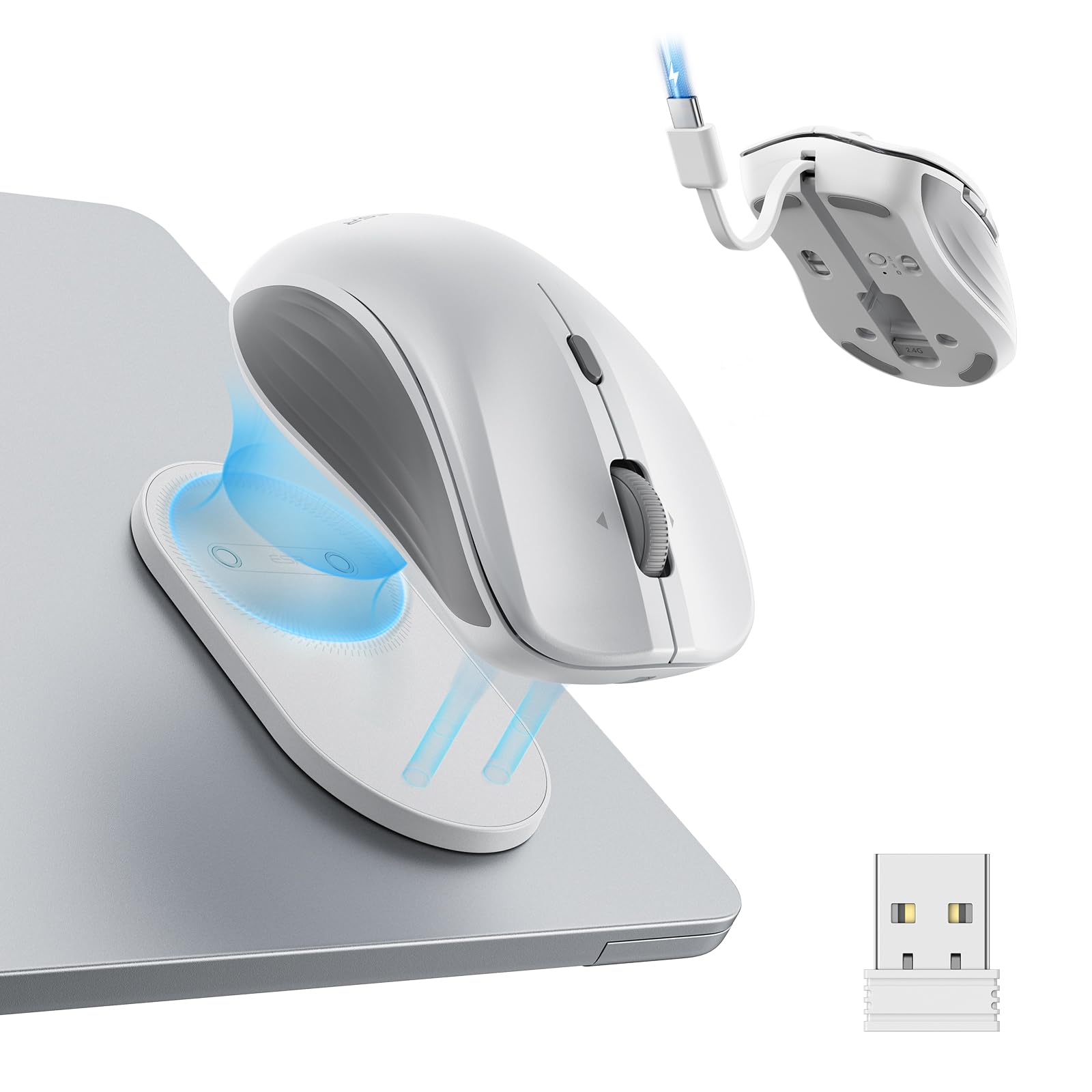
- A magnetic base attaches to a reusable adhesive holder.
- Supports Bluetooth 5.0 and 2.4GHz dongle connections.
- Includes a built-in USB-C charging cable.
Best For: Laptop users who want a portable mouse with a holder, built-in charging cable, and dual connectivity.
JLab GO Charge Wireless Mouse
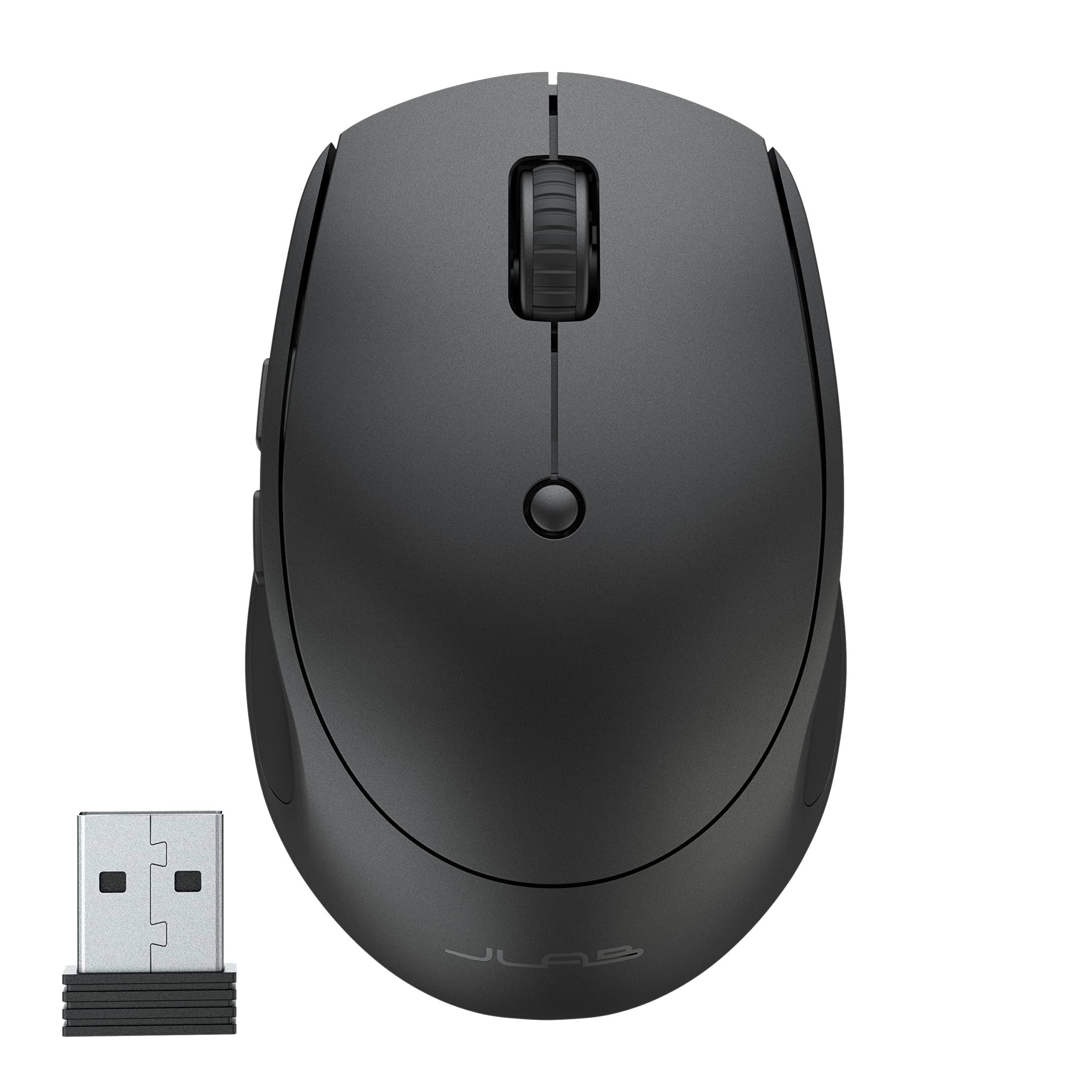
- Pairs with up to three devices over Bluetooth 5 or USB dongle.
- Rechargeable battery life is rated at 4+ months per charge.
- Compact silent-click design is made for portable use.
Best For: Mobile workers who want a compact rechargeable mouse that can toggle among three devices.
Lightweight RGB Gaming
SteelSeries Aerox 3 Wireless - Holey RGB Gaming Mouse - Ultra-lightweight Water Resistant Design - 18K DPI TrueMove Air Optical Sensor -Snow
The Aerox 3 Wireless pairs a 68g shell with a TrueMove Air optical sensor and three-zone RGB lighting. Its perforated design keeps weight down, while the IP54-rated AquaBarrier shields the interior from water splashes, dust, and dirt.
Quantum 2.0 Wireless supports 2.4GHz for gaming and Bluetooth 5.0 for other devices, and its battery life is rated up to 200 hours. This is a gaming-focused choice for people who value low weight and dual wireless modes.
Consider whether its holey shell and gaming-oriented features suit your everyday desk use.
Best For: Players who want a lightweight gaming mouse with Bluetooth and 2.4GHz connections.
| Pros | Cons |
|---|---|
|
|
Choose the Aerox 3 if a lightweight gaming shape, RGB, and dual wireless modes matter more than extra side controls. Its 68g weight and IP54-rated interior protection are specific features, while the product details do not identify its button layout.
Check that the perforated shell is comfortable for your grip and that the gaming-focused controls fit your regular applications.
Long-Battery Gaming Versatility
SteelSeries Rival 3 Wireless Gen 2 Gaming Mouse — 2.4GHz and Bluetooth — 18000 DPI TrueMove Air Optical Sensor — 60 Million Click Durability — Light-Weight — 100% PTFE Feet — Black
The Rival 3 Wireless Gen 2 combines a TrueMove Air 18K optical sensor with 2.4GHz and Bluetooth connections. Its click latency is listed at 1.9ms, and the battery is rated for up to 200 hours on 2.4GHz or 450 hours over Bluetooth when using one AAA battery.
That gives it appeal as a gaming mouse that can also serve other devices. The record identifies it as lightweight but does not provide its weight.
Check the included button layout and whether its shape suits your hand before choosing it for long sessions.
Best For: Players who want a gaming mouse that can also connect to other devices over Bluetooth.
| Pros | Cons |
|---|---|
|
|
Pick this model if long battery estimates and the ability to toggle between gaming wireless and Bluetooth are priorities. Its 2.4GHz and Bluetooth runtimes differ, so consider which connection you expect to use most.
Weight and button layout are not given in the product details; check those points if a particular grip, lightweight feel, or shortcut setup matters.
Customizable Gaming Controls
SteelSeries Aerox 5 Wireless - Holey RGB Gaming Mouse - Ultra-lightweight Water Resistant Design - 9 Buttons – Bluetooth/2.4 GHz - 18K DPI TrueMove Air Optical Sensor
The Aerox 5 Wireless offers nine programmable buttons, including a side panel and an up/down flick switch. Its 74g shell is perforated, with IP54-rated AquaBarrier protection against splashes, dust, and dirt.
The TrueMove Air optical sensor is paired with Quantum 2.0 Wireless, which supports both 2.4GHz and Bluetooth 5.0. Battery life is rated up to 180 hours.
This mix suits games and workflows where assignable controls can save repeated steps. Check whether the button locations fit your grip, since a larger number of controls is useful only when you can reach them comfortably.
Best For: Gamers who want a lightweight mouse with programmable controls and two wireless modes.
| Pros | Cons |
|---|---|
|
|
The Aerox 5 is a fit for players who want more onboard controls than a simpler gaming mouse provides, while keeping a 74g perforated design. Its nine buttons and flick switch are the defining tradeoff: useful for shortcuts and game commands, but worth checking for reach and accidental presses with your grip.
Battery life is rated up to 180 hours, and the mouse supports both 2.4GHz and Bluetooth.
Gaming Mouse With 18 Controls
SteelSeries Aerox 9 Wireless - Holey RGB Gaming Mouse - Ultra-lightweight Water Resistant Design - 18 Buttons – Bluetooth/2.4 GHz - 18K DPI TrueMove Air Optical Sensor
The Aerox 9 Wireless centers on an 18-button layout, including a 12-button side panel for shortcuts and game commands. It weighs 89g, uses the TrueMove Air optical sensor, and connects through either 2.4GHz or Bluetooth 5.0.
Battery life is rated up to 180 hours. Like the other Aerox models here, its shell has IP54-rated protection against water splashes, dust, and dirt.
The extra controls make this a specialized choice; consider how often you need side-button access and whether that layout suits your preferred grip.
Best For: Players who need a large set of programmable commands and dual wireless connectivity.
| Pros | Cons |
|---|---|
|
|
Choose the Aerox 9 if your games or work benefit from many side commands and you want Bluetooth as well as 2.4GHz. Its 18 buttons and 89g weight make it a more specialized option than simpler layouts.
Before buying, check that the side panel placement suits your hand and that its button setup supports the applications you use.
Right-Hand FPS Precision
SteelSeries Esports Wireless FPS Gaming Mouse - Ultra Lightweight, Prime Programmable, 18K CPI Sensor, Magnetic Optical Switches, PC/Mac, Black
The Prime Wireless is shaped for right-handed users and supports finger, palm, and claw grip styles. Its TrueMove Air sensor is rated at 18K CPI, 400 IPS, and 40G, while Quantum 2.0 Wireless provides a battery life rating of up to 100 hours.
The optical magnetic switches are rated for 100 million clicks. This is a focused FPS option with six buttons rather than a broad multi-button layout.
Check the listed dimensions against your hand and grip; the supplied details give length and width but no height.
Best For: Right-handed FPS players who prefer a shaped mouse and long rated battery life.
| Pros | Cons |
|---|---|
|
|
Consider the Prime Wireless if you play FPS games right-handed and want a shaped shell that accommodates several grip styles. Its sensor and switch ratings are clearly given, along with a 100-hour battery estimate.
The right-hand form is a meaningful fit constraint, and the supplied dimensions omit height, so compare the available size details with your hand before ordering.
Compact FPS Gaming
SteelSeries Esports Mini Wireless FPS Gaming Mouse – Ultra Light – Prime Mini Edition – 5 Programmable Buttons – Lag-free 2.4GHz – 100H Battery – 18K CPI Sensor – Magnetic Optical Switches – PC/Mac
The Prime Mini Wireless brings the Prime FPS design into a 74g mini form factor. It uses the TrueMove Air sensor rated at 18K CPI, 400 IPS, and 40G, with optical magnetic switches rated for 100 million clicks.
Quantum 2.0 wireless has a battery life rating of up to 100 hours, and the title identifies lag-free 2.4GHz connectivity. Its smaller size makes hand fit especially important.
Check whether the compact body works with your grip and whether its five programmable buttons cover the commands you need.
Best For: FPS players looking for a smaller 74g form with programmable buttons and 2.4GHz wireless.
| Pros | Cons |
|---|---|
|
|
The Prime Mini suits FPS players who want a compact gaming mouse with a documented 74g weight and programmable controls. Its sensor and switch specifications mirror a performance-oriented focus, while the smaller form can be a poor fit if you prefer a larger palm support.
Check the body dimensions and button reach before deciding; the product details do not provide measurements for the mini shell.
Tunable Weight for Gaming
SteelSeries Rival 650 Quantum Wireless Gaming Mouse - Rapid Charging, 12,000 Cpi Dual Sensor, 256 Weight Configs, 8 Zone RGB Lighting
The Rival 650 pairs Quantum Wireless with a dual-sensor system: TrueMove3+ handles tracking, and a secondary depth sensor adjusts lift-off distance. It offers 256 weight-tuning configurations to personalize its center of gravity.
The full-charge battery life is rated at 24 hours or more, with 10 hours available from a 15-minute rapid charge. Its switches are rated for 60 million clicks.
This model is a practical fit for players who want to tune mouse balance and lift-off behavior. Check whether its weight-tuning approach and charging routine match your setup.
Best For: Gamers who want adjustable weight balance and rapid charging.
| Pros | Cons |
|---|---|
|
|
Choose the Rival 650 if balance tuning and lift-off adjustment matter more to you than switching among multiple wireless protocols. Its 256 configurations offer a way to personalize center of gravity, and rapid charging is useful when you need a quick top-up.
The product details focus on Quantum Wireless rather than Bluetooth, so check connection needs and physical fit before buying.
Adjustable Ergonomic Angle
Contour Unimouse Ergonomic Vertical Mouse Adjustable 35°-70° Tilt Angle, 6 Programmable Buttons for Productivity, Customizable Thumb Rest for Wrist Pain Relief | Plug & Play Mac/PC - Wireless - Right
The Contour Unimouse lets right-handed users set its tilt anywhere from 35° to 70° using a friction hinge. Its thumb support moves up, down, in, out, forward, and back, and can rotate to suit different hand positions.
Six programmable buttons and a scroll wheel support productivity tasks, while the rechargeable battery is rated for up to 12 weeks per charge. It connects through a USB receiver and works with Windows and macOS.
This is a highly adjustable ergonomic design; check that a right-hand vertical mouse and receiver-based connection fit your needs.
Best For: Right-handed users seeking a customizable vertical angle and thumb support.
| Pros | Cons |
|---|---|
|
|
The Unimouse is for right-handed users who want to adjust both mouse angle and thumb support rather than accept a fixed vertical shape. Those adjustments are its main advantage, alongside six programmable buttons and a long rated battery interval.
Its receiver-based connection and hand orientation are important buying checks; choose it only if those fit your devices and preferred grip.
Magnetic Travel Setup
ESR MagMouse Snap-to-Carry Bluetooth Mouse, Wireless Mouse for Laptop | Rechargeable Mouse with Built-in Charging Cable, Reusable Adhesive Holder, BT 5.0 + 2.4 GHz Connectivity, Ergonomic, White
The ESR MagMouse pairs a magnetic base with a reusable adhesive holder so the mouse can attach to a laptop for travel. It connects through Bluetooth 5.0 or a 2.4GHz dongle and includes a built-in USB-C charging cable.
A one-minute charge is rated for four hours of use, while a full 45-minute charge is rated for up to 160 hours. It also has six DPI settings and four-way scrolling.
This design suits mobile work, though the adhesive holder and magnetic attachment may not suit every laptop surface or carrying setup.
Best For: Laptop users who want a portable mouse with a holder, built-in charging cable, and dual connectivity.
| Pros | Cons |
|---|---|
|
|
Choose the MagMouse if you often carry a mouse with a laptop and value its snap-on holder, built-in cable, and two wireless modes. Its standout convenience depends on using an adhesive base, so check whether that attachment suits your device and travel habits.
The product details do not give mouse dimensions or weight, making those useful points to confirm if bag space is tight.
Compact Multi-Device Work
JLab, GO Charge, Wireless Mouse, Bluetooth, USB Dongle, Multi-Device, Compact, Rechargeable, Black
The JLab GO Charge is a compact wireless mouse with Bluetooth 5 and a USB dongle connection. It can pair with up to three devices and switch among them, and its rechargeable battery is rated for more than four months per charge.
Adjustable DPI tracking and silent click buttons suit desk work in shared spaces or travel. It is compatible with Windows, Mac/iOS, Android, and Chrome OS.
This model is a practical choice for portability and device switching. Check whether its compact size is comfortable for your hand during extended work sessions.
Best For: Mobile workers who want a compact rechargeable mouse that can toggle among three devices.
| Pros | Cons |
|---|---|
|
|
The GO Charge fits people who move between devices and want a compact mouse with silent clicks and a rechargeable battery. Its three-device toggle and broad listed compatibility make it useful for a mobile desk, while the small form may be less comfortable for some hands over long sessions.
Check the dimensions and button layout before buying if either strongly affects your setup.
How to Choose Wireless Mice
How We Picked Wireless Mice
This roundup focuses on mice that offer useful distinctions within a wireless setup: dual Bluetooth and 2.4GHz connections, adjustable ergonomics, portable carrying, multi-device switching, or gaming controls. The selections include compact work options, receiver-based models, right-hand ergonomic designs, and gaming mice with different button layouts.
We left out an ambiguous record that described a keyboard-and-mouse bundle despite naming a vertical mouse, as well as redundant pack and duplicate-model offers.
Connection type, hand fit, controls, and charging approach matter more than a broad wireless label. A Bluetooth mouse can save a USB port, while a dongle may fit a desktop or gaming setup better.
Battery estimates also differ by model and connection mode, so treat the connection-specific figure as the one relevant to your use.
Comparing Wireless Mice
The gaming picks span lightweight shells, tunable balance, and programmable controls. Aerox 3, Aerox 5, and Aerox 9 use 2.4GHz and Bluetooth 5.0, with the Aerox 5 emphasizing nine controls and the Aerox 9 a 12-button side panel.
Rival 650 adds 256 weight configurations and rapid charging, while Rival 3 Gen 2 offers long rated runtimes that vary by connection. Prime Wireless and Prime Mini focus on FPS play, with the mini version identified at 74g.
For work, the Unimouse adjusts its vertical tilt and thumb rest, while the JLab GO Charge toggles among three devices in a compact body. The ESR MagMouse brings a snap-on carrying holder and built-in cable.
Each feature addresses a different friction point, so start with what your setup actually needs: hand position, frequent travel, quiet clicks, shortcut access, or multiple connected devices.
| Product | Standout features | Best for |
|---|---|---|
| SteelSeries Aerox 3 WirelessCheck Price |
| Players who want a lightweight gaming mouse with Bluetooth and 2.4GHz connections. |
| SteelSeries Rival 3 Wireless Gen 2Check Price |
| Players who want a gaming mouse that can also connect to other devices over Bluetooth. |
| SteelSeries Aerox 5 WirelessCheck Price |
| Gamers who want a lightweight mouse with programmable controls and two wireless modes. |
| SteelSeries Aerox 9 WirelessCheck Price |
| Players who need a large set of programmable commands and dual wireless connectivity. |
| SteelSeries Prime WirelessCheck Price |
| Right-handed FPS players who prefer a shaped mouse and long rated battery life. |
| SteelSeries Prime Mini WirelessCheck Price |
| FPS players looking for a smaller 74g form with programmable buttons and 2.4GHz wireless. |
| SteelSeries Rival 650 Quantum WirelessCheck Price |
| Gamers who want adjustable weight balance and rapid charging. |
| Contour Unimouse WirelessCheck Price |
| Right-handed users seeking a customizable vertical angle and thumb support. |
| ESR MagMouse Snap-to-CarryCheck Price |
| Laptop users who want a portable mouse with a holder, built-in charging cable, and dual connectivity. |
| JLab GO Charge Wireless MouseCheck Price |
| Mobile workers who want a compact rechargeable mouse that can toggle among three devices. |
Choosing a Wireless Mouse for Work and Travel
For a laptop bag, consider size, weight, and how the mouse is carried. JLab GO Charge is described as ultra-compact, while ESR MagMouse uses an adhesive holder that lets its magnetic base snap into place.
The supplied details do not give dimensions or weights for these two models, so check physical measurements if bag space is tight. A built-in charging cable can simplify packing, but USB-C charging may be less convenient if you prefer replaceable batteries.
Multi-device users should check both the pairing limit and the switching process. GO Charge and the JLab Epic mouse support up to three paired devices, while the JLab JBuds product record has conflicting bundle details and is excluded.
Wireless dongles can be useful when you want a dedicated receiver, while Bluetooth avoids occupying a USB port. Confirm that the mouse supports the operating systems you use, especially when combining a work computer, tablet, or phone.
Finding a Wireless Mouse That Fits Your Hand
A mouse’s shape can matter more than its sensor rating for everyday comfort. The Contour Unimouse is right-handed and lets users adjust its tilt from 35° to 70°, along with a movable, rotating thumb support.
SteelSeries Prime Wireless is also designed for right-handed users, with support for finger, palm, and claw grips. The Prime Mini is a smaller 74g option, but its dimensions are not supplied.
Check orientation and physical fit before relying on a product name such as ergonomic or mini.
For productivity, also consider button placement and click noise. JLab’s Epic full-size mouse has silent clicks, a screen for battery and DPI, and three saved profiles.
JLab GO Charge also has silent buttons, but its compact shape and more limited documented controls serve a different need. Silent clicks help in shared work areas; programmable controls can make repeated tasks easier when their placement feels natural.
Who Should Buy Which Wireless Mouse
Choose an Aerox model or Prime mouse if gaming controls, sensor specifications, or a particular shell weight are your priority. Aerox 9 suits users who need a 12-button side panel; Prime Mini is the documented compact FPS choice.
Rival 650 fits players who want adjustable weight balance and rapid charging, while Rival 3 Gen 2 offers distinct battery estimates for 2.4GHz and Bluetooth.
For mobile work, compare JLab GO Charge with ESR MagMouse: the former emphasizes compact multi-device use and silent clicks, while the latter adds a magnetic carrying holder and built-in charging cable. For adjustable right-hand ergonomics, consider the Contour Unimouse.
Match connection type, hand orientation, shape, and controls to your desk and devices, then confirm any unspecified dimensions or compatibility details before ordering.