A useful gift for a content creator can support the work behind the finished post, from capturing clear audio to managing files and shaping a comfortable desk setup.
These nine ideas span recording, editing, mobile power, and personal touches for creators with different workflows. Check device compatibility and current product details before choosing.
9 Gift Ideas for Content Creators
MAONO Wave T5 Wireless Lavalier Microphone

- The magnetic wireless lavalier microphone is designed for content creation and video recording.
- Records at 48kHz/24-bit with an 80dB signal-to-noise ratio and a 120dB maximum sound pressure level.
- The charging case provides 40 hours of total use.
Best Gift For: A mobile creator who records interviews, vlogs, or voiceovers.

FIFINE T669 USB Microphone Kit

- USB plug-and-play connection works with a PC or laptop.
- The kit includes an adjustable boom arm stand and shock mount.
- A double pop filter helps minimize popping sounds.
Best Gift For: A creator recording podcasts, voiceovers, or vocals at a desk.
SABRENT USB-C 6-Port Hub & M.2 SSD Dock

- The hub connects through an integrated USB-C cable.
- It includes an HDMI port for an external display.
- The internal M.2 slot supports SATA or NVMe SSDs.
Best Gift For: A laptop creator who wants to connect peripherals, displays, and extra storage.
HP Sprocket Select 2.3x3.4 Instant Photo Printer

- Prints photos from a smartphone or social media.
- The glossy sticky-back paper resists water, smudges, and tears.
- The HP app offers editing tools, augmented reality features, and custom sticker options.
Best Gift For: A creator who likes turning smartphone photos into keepsakes or custom stickers.
HUANUO FlowLift Dual Monitor Stand

- Fits screens from 13 to 32 inches, weighing 4.4 to 19.8 lbs, with VESA mounting holes at 75x75mm or 100x100mm.
- The mount offers tilt, swivel, and rotation adjustments.
- Built-in cable management guides wires along the arms.
Best Gift For: A creator with two compatible monitors who wants to free up desk space.
Nulaxy 18-Inch Telescopic Rotating Laptop Stand
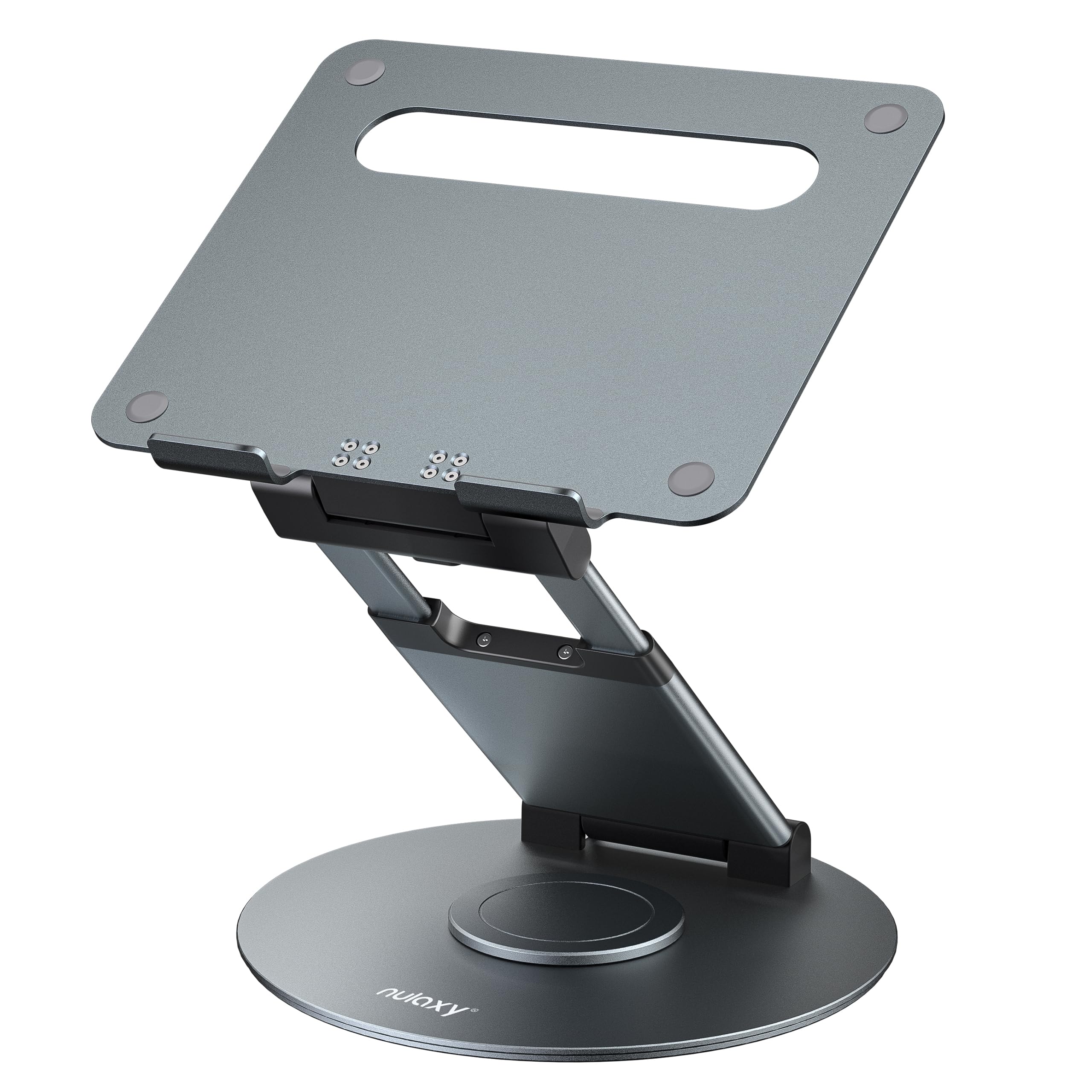
- The stand rotates to help share a screen with someone nearby.
- Its height adjusts up to 18 inches.
- It supports laptops and tablets up to 17 inches.
Best Gift For: A laptop creator who presents ideas over video calls or shifts between sitting and standing.
Nylavee Desktop Speakers with 6 Lighting Modes

- The speakers offer Hi-Fi stereo sound.
- Touch controls offer six lighting modes.
- They connect with a USB power cable and 3.5mm audio cable.
Best Gift For: A creator who wants desktop audio for watching videos, listening, or gaming.
MagSafe-Compatible 5000mAh Magnetic Power Bank

- The magnetic charger is designed for MagSafe-compatible devices.
- It has a 5000mAh battery capacity.
- USB-C output and wireless charging can power two devices at once.
Best Gift For: A creator with a compatible iPhone who often records or edits away from an outlet.
SABRENT USB-C & USB-A SD Card Reader

- Dual slots support SD and Micro SD card formats.
- USB-C and USB-A connections support transfers across compatible devices.
- The compact design is easy to carry in a camera case or laptop bag.
Best Gift For: A creator who moves photos and video files from SD or Micro SD cards to a compatible device.
Choosing gifts for content creators around their workflow
Start with the part of the creative process that tends to create friction. Someone filming in several locations may appreciate help capturing sound or keeping a phone charged, while a desk-based podcaster may get more use from a microphone setup that stays ready between sessions.
The best gifts for content creators fit the work they already do.
Think about where the recipient records, edits, and shares their work. A person who often collaborates on calls has different needs from someone who mainly captures photos or produces audio at a desk.
A thoughtful present can support one practical step without asking them to change their whole setup.
When you are unsure, choose something that complements equipment they already use. Check the device, operating system, ports, and any required mounting points before buying.
Compatibility is especially important for accessories that connect to a laptop, phone, monitor, or camera card.
Balance the budget with the whole setup
Set a comfortable spending range, then consider whether the gift needs anything else to be useful. A compact accessory may be a welcome standalone present; a dock or desk mount may depend on existing devices and a suitable workspace.
Check current prices and product details before deciding.
For a more modest gesture, focus on a small tool that solves a recurring inconvenience, such as moving files or keeping a phone powered during a recording day. For a larger gift, consider how often the recipient would use it and whether it fits their current setup.
A higher spend matters less than a useful match.
If several people are contributing, combine practical accessories around one workflow. For example, a group could support a mobile creator’s recording routine, while friends of a desk-based creator could choose something for the workstation.
Agree on compatibility and the spending limit first so the gift feels coordinated.
Make gifts for content creators feel personal
Personalization starts with noticing the recipient’s style and routine. A creator who shares travel stories may value portability, while someone who publishes interviews may appreciate a quieter, more dependable recording environment.
Gifts for content creators feel considered when they reflect the work the person enjoys making, not just the gear trend of the moment.
Presentation can make a practical tool feel like a celebration. Wrap it with a handwritten note naming the project or milestone it is meant to support, or pair it with a small printed photo, a notebook, or a favorite snack.
Keep add-ons simple and avoid assuming they need a particular hobby or aesthetic.
If you are unsure of their exact setup, ask a friend who knows their devices or choose a gift receipt when available. You can also share a short note about why you chose it and leave room for them to exchange it for a compatible option.
That keeps the gesture warm and the final choice useful.
Plan the purchase and delivery timing
For a deadline or celebration, place the order with enough time to check the expected delivery estimate and the seller’s current details. Availability and arrival dates can change, so review them during checkout rather than relying on a past estimate.
This is especially useful if the gift is tied to a launch or a planned recording session.
Before buying, verify dimensions, connection types, mounting compatibility, and included accessories against the recipient’s setup. A monitor arm needs a suitable desk and monitor; a portable adapter needs to match the devices and cards they use.
A quick check can prevent a well-meant present from becoming a return.
For last-minute gifting, choose an option that does not depend on complicated installation, or present a card with a clear plan to shop together. If you buy online, check the delivery estimate and return details before paying.
Thoughtful timing includes giving the recipient space to choose a compatible item when their setup is uncertain.
Give a useful tool for the next project
A strong creator gift can make one small part of the routine easier: preparing a desk, moving files, capturing a voice, or sharing work. Focus on the recipient’s real habits and the setup they already have.
That approach keeps the present useful after the occasion has passed.
Keep the decision practical. Confirm compatibility, compare current prices, and check dimensions and delivery estimates before checkout.
If the recipient is particular about equipment, a flexible gift receipt or a shared shopping trip can be more thoughtful than guessing at a highly specific accessory.
The nine ideas here cover different kinds of creator routines, from recording and editing to organizing a workspace. Choose the one that addresses a genuine need, then add a brief personal note about the projects you hope it will support.