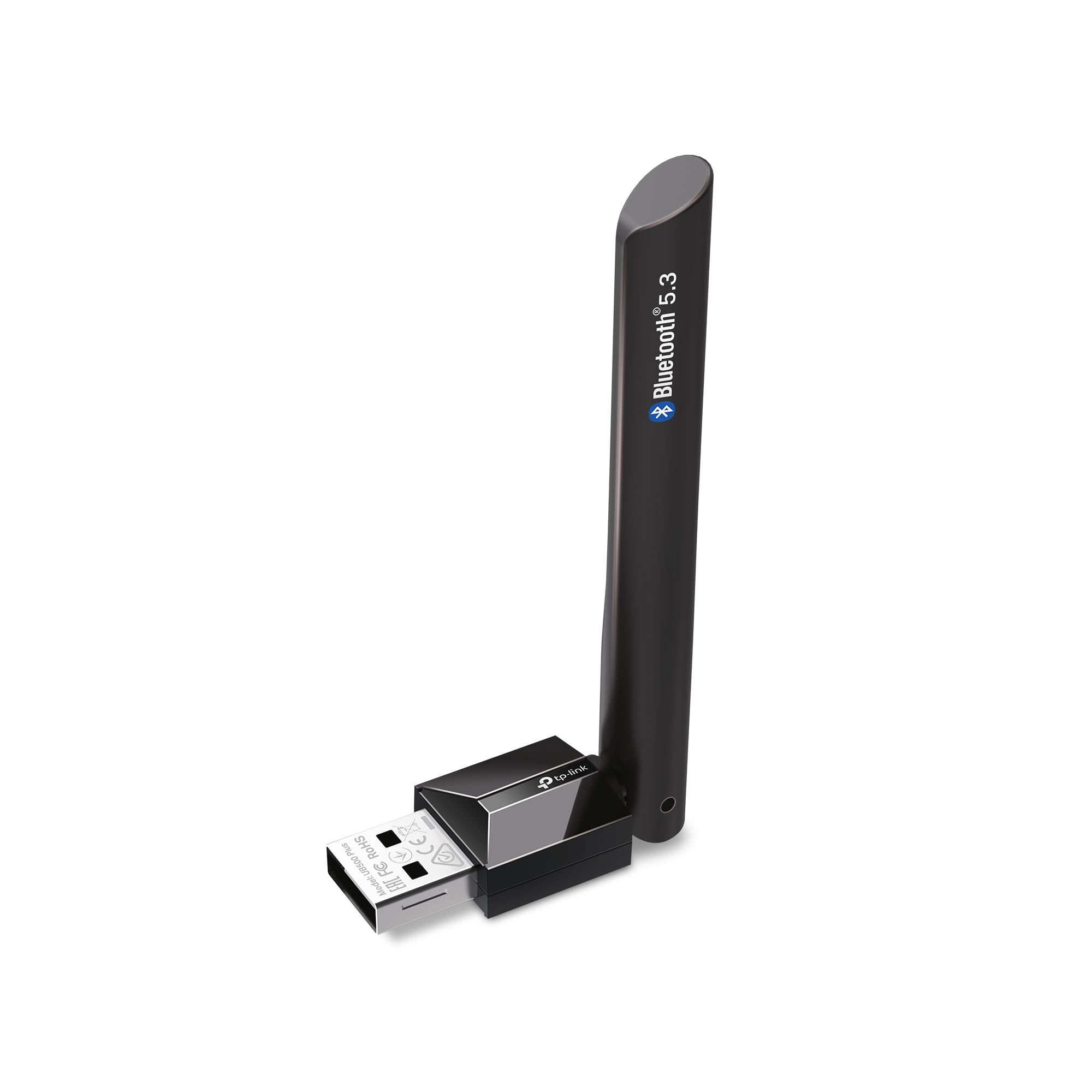
The TP-Link UB500 Plus is a USB Bluetooth adapter for adding wireless connectivity to a desktop or laptop, with Bluetooth 5.3, backward compatibility, and an adjustable antenna.
This TP-Link USB Bluetooth Adapter review looks at where that combination may suit a PC setup and what buyers should consider before choosing it.
TP-Link UB500 Plus Review Summary
The quick verdict
1,000+ ratings
Read Amazon ReviewsTP-Link UB500 Plus
A useful fit for Windows PC owners who want a compact Bluetooth upgrade with a repositionable antenna and broad support for older Bluetooth devices.
- Bluetooth 5.3 with EDR, plus backward compatibility with Bluetooth 4.2, 4.0, 3.0, 2.1, 2.0, and 1.1.
- USB adapter designed to add Bluetooth capability to a desktop or laptop.
- Adjustable multi-directional antenna that can be rotated to change its position.
- Bluetooth Low Energy support for compatible devices.

Pros
- Newer Bluetooth 5.3 support alongside compatibility with several earlier Bluetooth versions.
- An adjustable antenna gives buyers some control over its orientation.
Consider before buying
- Windows 7 setup requires a separate driver, so it involves more preparation than the plug-and-play Windows versions.
- Plug-and-play setup depends on the computer having an internet connection.
Read the full review summary
The UB500 Plus focuses on practical flexibility: its adjustable, multi-directional antenna can be repositioned, while Bluetooth 5.3 with EDR and BLE supports a range of older Bluetooth versions.
It is designed for Windows 11, 10, 8.1, and 7, so it may suit someone adding Bluetooth to a compatible computer for peripherals such as a keyboard or mouse.
The main tradeoff is setup by operating system: Windows 8.1, 10, and 11 are described as plug and play when the computer has an internet connection, while Windows 7 requires a driver.
The claimed range and speed improvements are comparisons with Bluetooth 4.0, not a guarantee of results in every room or computer configuration, so buyers should weigh the antenna and version support against their own placement and compatibility needs.
The buying factors
TP-Link UB500 Plus Scorecard
Editorial scores reflect listed features and buyer fit; they are not laboratory measurements or customer ratings.
Bluetooth version support
Bluetooth 5.3 support and backward compatibility spanning versions 1.1 through 4.2 make it adaptable to varied older peripherals.
Antenna flexibility
The multi-directional antenna can be rotated and adjusted to suit the adapter's position.
Windows setup
Plug-and-play setup is specified for Windows 8.1, 10, and 11 with an internet connection; Windows 7 needs a driver.
Peripheral versatility
The adapter is intended for PCs and common devices such as keyboards and mice, with Bluetooth EDR and BLE.
Placement convenience
The adjustable antenna offers placement options, though the best position depends on the surrounding setup.
Older-PC suitability
Support for Windows 7 and older Bluetooth versions may help extend connectivity options on legacy equipment, subject to driver and device compatibility.
Key Features and Specifications of TP-Link UB500 Plus
- Bluetooth 5.3 with EDR, plus backward compatibility with Bluetooth 4.2, 4.0, 3.0, 2.1, 2.0, and 1.1.
- USB adapter designed to add Bluetooth capability to a desktop or laptop.
- Adjustable multi-directional antenna that can be rotated to change its position.
- Bluetooth Low Energy support for compatible devices.
- Plug-and-play setup for Windows 8.1, 10, and 11 when the computer is connected to the internet.
- Windows 7 support requires a driver download.
- Intended for use with devices including keyboards and mice.
Pros and Cons of TP-Link UB500 Plus
Pros
- Newer Bluetooth 5.3 support alongside compatibility with several earlier Bluetooth versions.
- An adjustable antenna gives buyers some control over its orientation.
- Straightforward setup is specified for Windows 8.1, 10, and 11 with an internet connection.
- Support for EDR and BLE addresses different types of Bluetooth connections.
Consider before buying
- Windows 7 setup requires a separate driver, so it involves more preparation than the plug-and-play Windows versions.
- Plug-and-play setup depends on the computer having an internet connection.
- The stated speed and coverage comparisons are relative to Bluetooth 4.0; actual results depend on the computer, paired devices, and placement.
Who Should Buy TP-Link UB500 Plus?
Good fit
Consider the UB500 Plus if you want to add Bluetooth to a compatible Windows desktop or laptop and value an antenna you can reposition.
Its combination of Bluetooth 5.3, EDR, BLE, and backward compatibility gives it a broad design brief for pairing different generations of devices.
It may also make sense when the adapter's orientation matters to your setup. Before buying, check your Windows version and whether you can get the computer online during setup; Windows 7 users should plan for the required driver.
Who should skip it
Look elsewhere if your computer runs an operating system outside the listed Windows versions, or if you need a wireless adapter with a specifically documented capability beyond Bluetooth peripherals.
Confirm operating-system and device compatibility for your exact setup before choosing.
If you need guaranteed coverage or transfer speeds in a particular room, do not rely on the stated comparison alone.
Consider your PC location, nearby obstacles, and the distance to paired devices when assessing whether an adjustable antenna will help.
TP-Link UB500 Plus: what its design means for a PC setup
Bluetooth versions and device compatibility
Bluetooth 5.3 support paired with backward compatibility through Bluetooth 1.1 gives the adapter a broad version range on paper.
That can be useful in a mixed setup with newer and older peripherals, though compatibility still depends on the device and the function you want to use.
An antenna you can reposition
A multi-directional adjustable antenna gives more placement flexibility than a fixed orientation: you can rotate it to suit the space around the USB connection.
This is a practical design option, but the description does not establish a specific range for a particular room, so placement remains something to judge in your own setup.
Windows installation and preparation
For Windows 8.1, 10, and 11, the stated plug-and-play process requires an internet connection.
Windows 7 support involves a driver download, so users of that operating system should confirm they can obtain and install the driver before relying on the adapter.
EDR and Bluetooth Low Energy
Including EDR and BLE broadens the connection technologies named for the adapter.
Buyers choosing it for a particular peripheral should still check that device's requirements, since the presence of these technologies alone does not guarantee every device function or configuration.
Alternatives to TP-Link UB500 Plus
One supplied alternative offers a useful comparison, but the available choices do not support recommending a second distinct model.
Bluetooth Network Adapters alternative
3,000+ ratings
Read Amazon ReviewsSABRENT BT-UB40 USB Bluetooth 4.0 Micro Adapter
Choose the TP-Link if Bluetooth 5.3 support and an adjustable antenna fit your priorities.
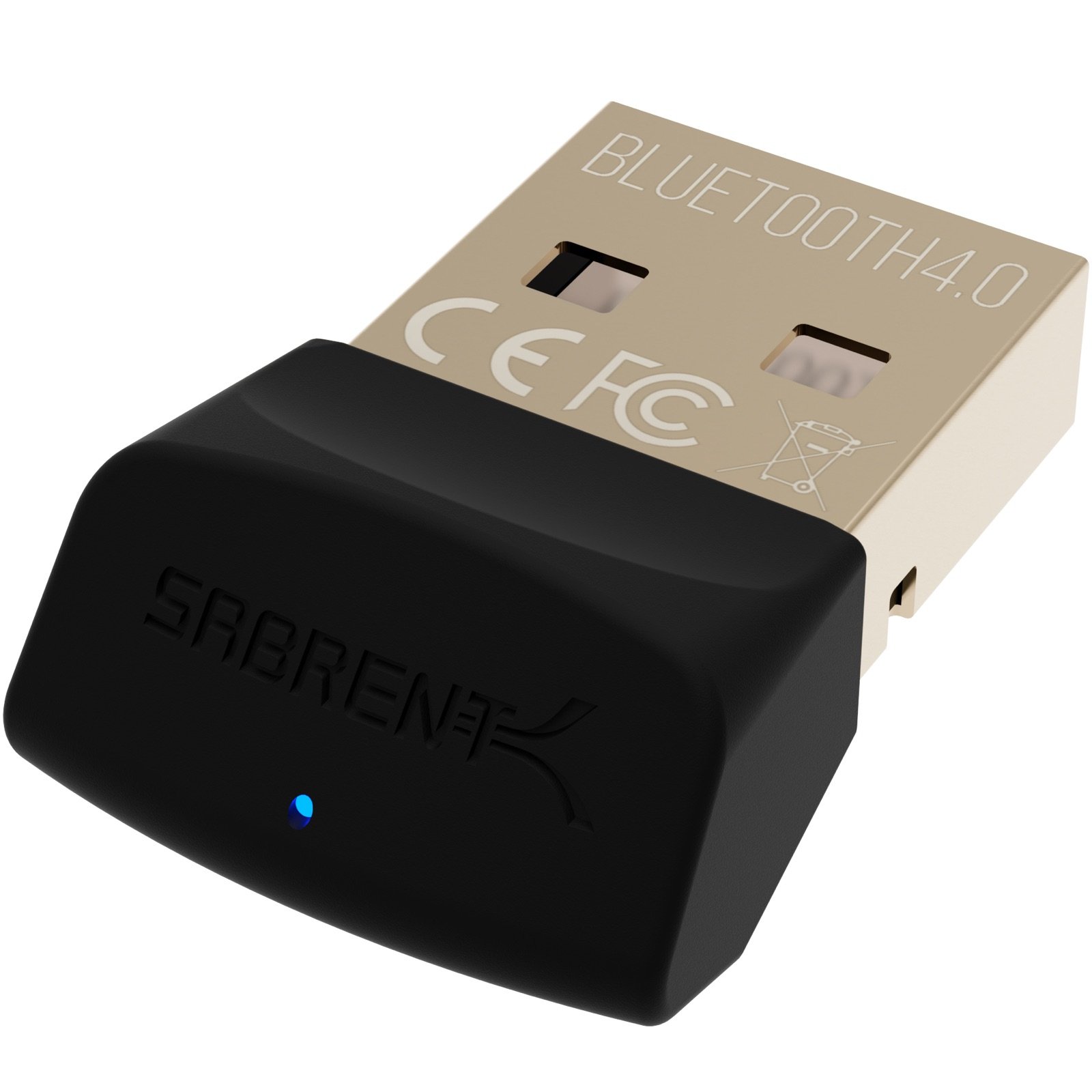
The SABRENT is a simpler alternative to consider if Bluetooth 4.0 coverage of the listed legacy versions and its stated headset or cellphone use cases meet your needs.
- The SABRENT BT-UB40 is a Bluetooth 4.0 Class 2 adapter with low energy technology and compatibility with Bluetooth 3.0, 2.1, 2.0, and 1.1.
- Its listed uses include connecting a headset to a PC or enabling a connection between a laptop and cellphone.
- The TP-Link UB500 Plus supports Bluetooth 5.3, EDR, BLE, and backward compatibility with versions from 1.1 through 4.2; it also has an adjustable antenna.
Is TP-Link UB500 Plus Worth It?
The TP-Link UB500 Plus is worth considering as a Windows Bluetooth add-on if you want Bluetooth 5.3 support, backward compatibility, and an antenna you can reposition.
Its setup path is clearly differentiated by Windows version, with an internet connection needed for plug-and-play on Windows 8.1, 10, and 11, and a driver required for Windows 7.
Treat the speed and coverage comparisons as design context rather than a promise for your particular space.
Check your operating system and peripheral needs first; if they match, the UB500 Plus offers a flexible set of features for adding Bluetooth to a PC.
Your review at a glance
1,000+ ratings
Read Amazon ReviewsTP-Link UB500 Plus
A useful fit for Windows PC owners who want a compact Bluetooth upgrade with a repositionable antenna and broad support for older Bluetooth devices.
- Bluetooth 5.3 with EDR, plus backward compatibility with Bluetooth 4.2, 4.0, 3.0, 2.1, 2.0, and 1.1.
- USB adapter designed to add Bluetooth capability to a desktop or laptop.
- Adjustable multi-directional antenna that can be rotated to change its position.
- Bluetooth Low Energy support for compatible devices.